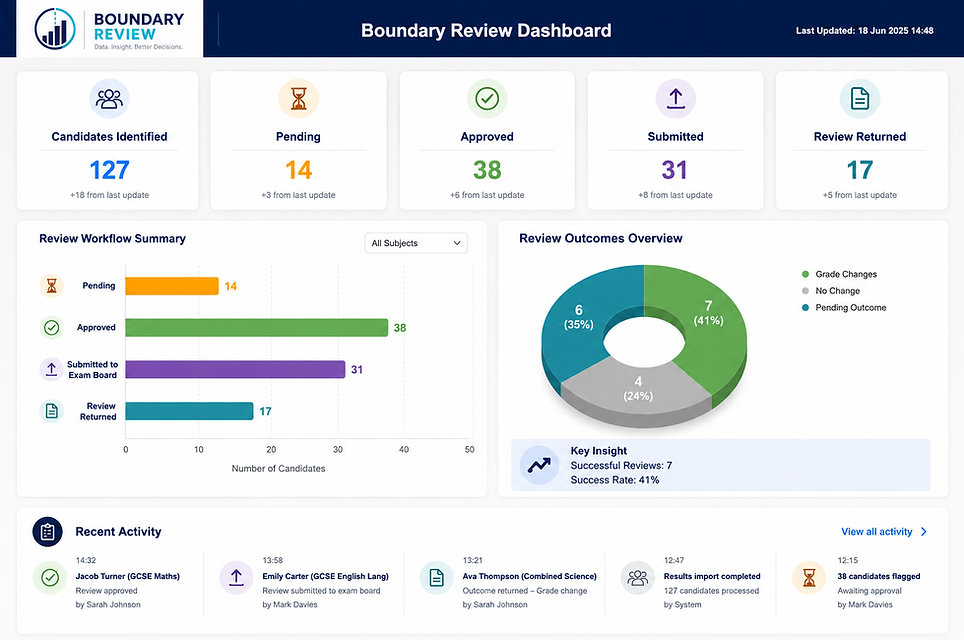
A simple 5-step process
from results other confident decisions
Save hours of manual analysis and never miss a review opportunity again
1
Import your results
Simply upload your exam results from your MIS, exam board or spreadsheet
Boundary Review organises everything automatically
✅ Quick, secure and accurate

2
Add grade boundaries
Select your exam board and qualifications. Boundary Review applies the correct grade boundaries for every subject
✅ Always up-to-date

3
Review recommended candidates
Instantly see pupils who are close to the next grade, sorted by subject, marks away and potential impact
✅ Identify every worthwhile op

4
Submit review requests
Track every request, monitor progress and keep all review decisions in one place
✅ Stay organised and in control

5
Analyse outcomes
See which reviews were successful, evaluate value for money and use the insights to improve future decisions
✅ Improve outcomes year after year